イベント・コンサート管理をもっと簡単に
WordPress.orgの公式プラグインに掲載・承認されたプラグインです
ミュージシャン、イベント主催者、会場運営者のための強力なWordPressプラグイン。iOS・Androidアプリとシームレスに連携
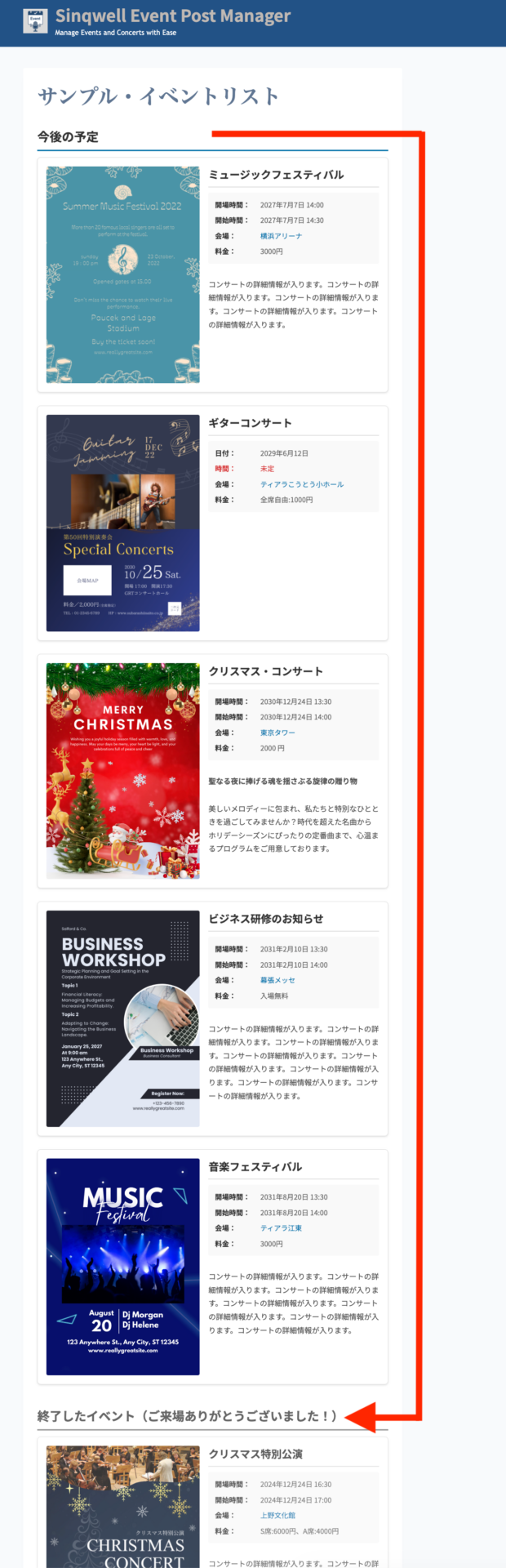
主な機能終了したイベントは、Wordpressサイトでは自動で「終了したイベント」へ
初期設定(プラグインのダウンロード)
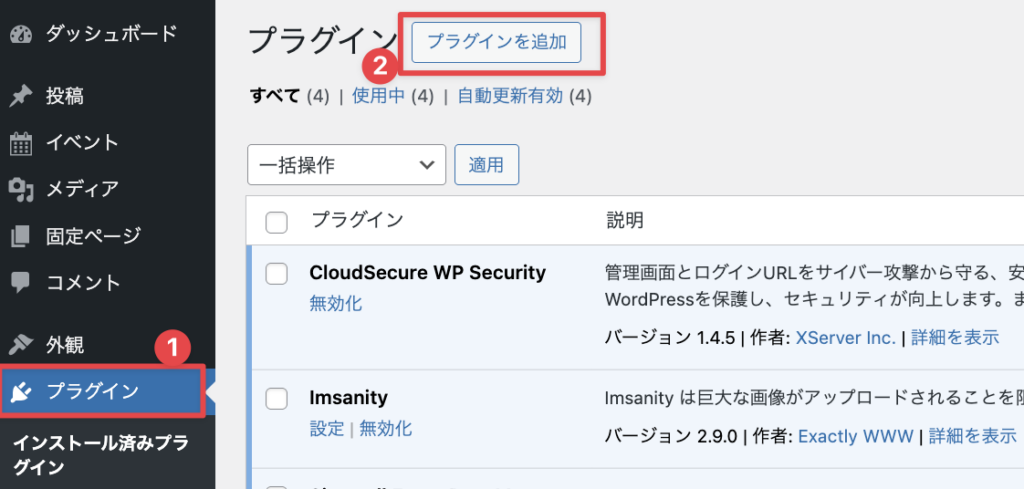
1)Wordpressサイトにログイン、ダッシュボードのプラグインからプラグインの追加ボタンをクリック
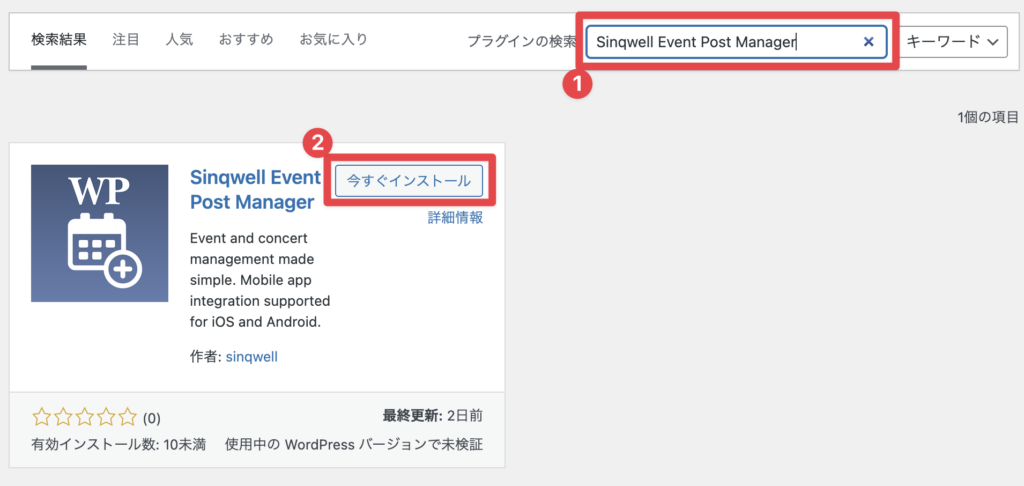
2)Sinqwell Event Post Managerと検索→下記のプラグインが表示されたら、「今すぐインストール」ボタンをクリック。
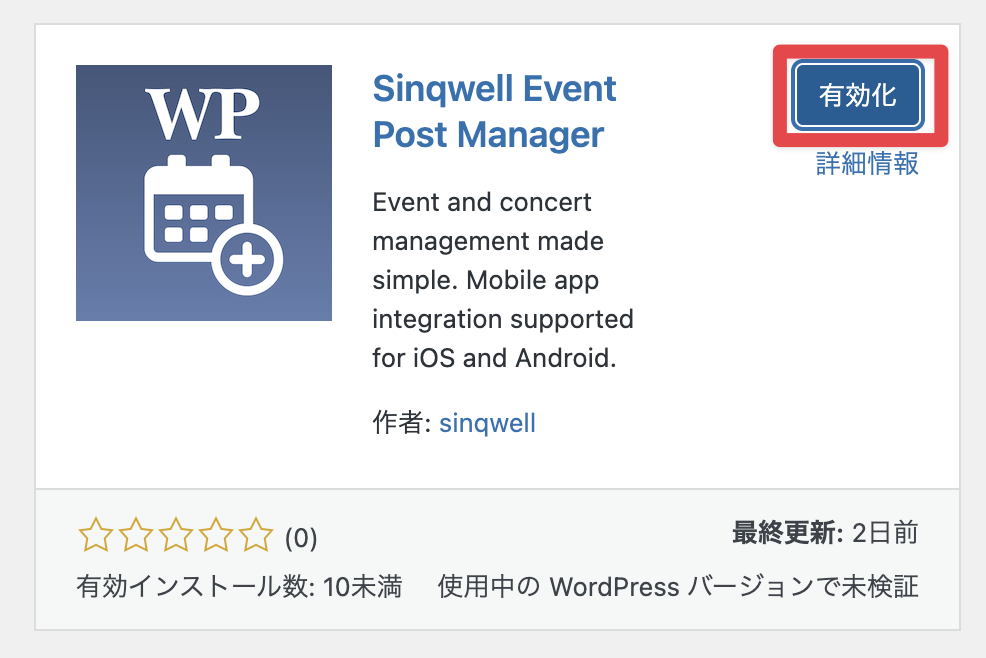
3)「有効化」をクリック
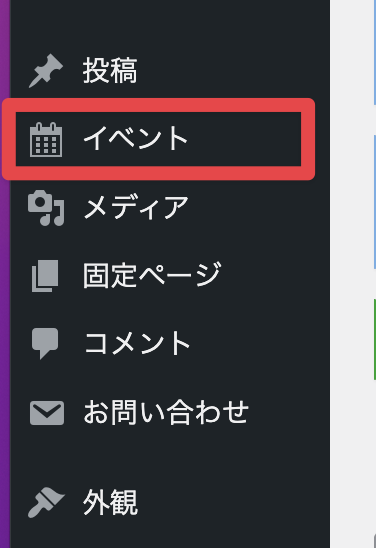
4)ダッシュボードに「イベント」というメニューが追加されます。ここがイベントを追加したり、編集したりする場所になります。
ショートコード
ショートコード6つの新パラメータ追加
[sinqwell_event_list]← 全件表示(現在)
[sinqwell_event_list group_by=”month”]←月毎に表示
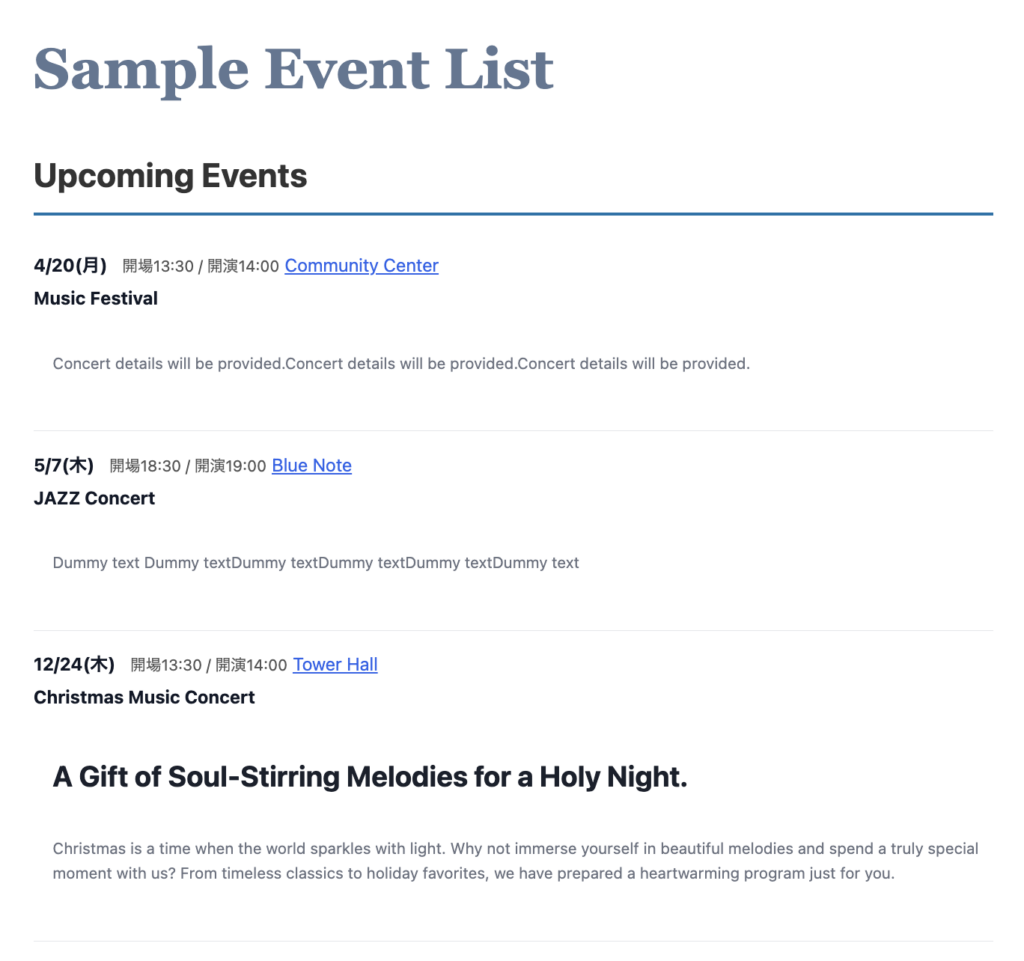
[sinqwell_event_list style=”simple”]←テキストだけのシンプル表示
[sinqwell_event_list month=”3″] ← 3月のイベントだけ
[sinqwell_event_list year=”2026″] ← 2026年のイベント
[sinqwell_event_list limit=”10″] ← 最新10件
[sinqwell_event_list per_page=”20″] ← 20件ずつページネーション
[sinqwell_event_list past=”true”] ← 過去のイベントも表示
[sinqwell_event_list show_finished=”false”] ← 終了セクション非表示
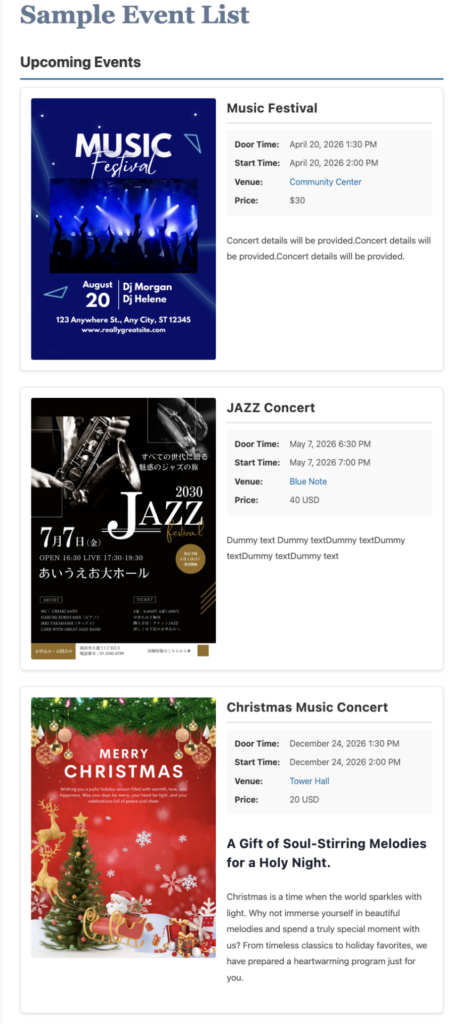
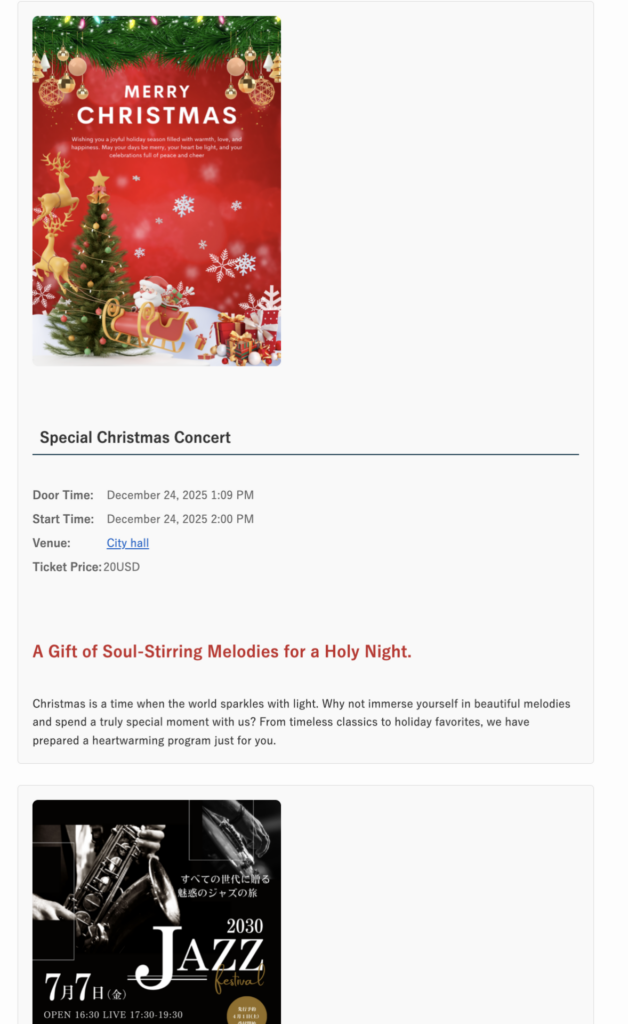
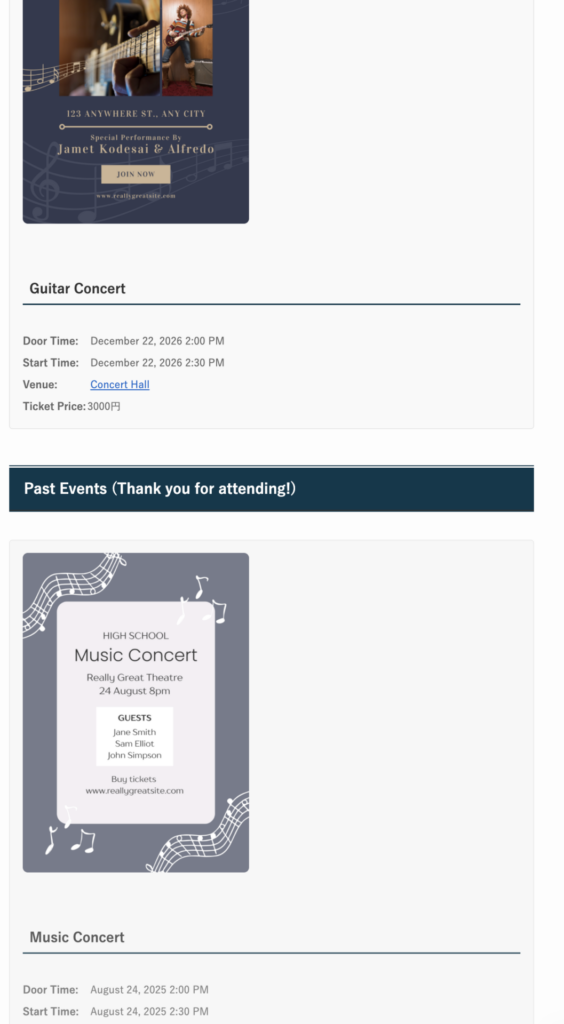
通常表示とシンプル表示の比較
基本パラメータ
パラメータ 値 説明 month1〜12 指定月のイベントだけ表示 year2025, 2026… 指定年のイベントだけ表示 limit数字 表示件数の上限 per_page数字 ページネーションの1ページあたり件数 pasttrue / false 過去イベントを表示するか(デフォルト: true) show_finishedtrue / false 終了セクションを表示するか(デフォルト: true)
使い方例
[sinqwell_events past=”false”]
[sinqwell_event_list group_by=”month” style=”simple”]
[sinqwell_event_list year=”2026″ month=”3″]
[sinqwell_event_list per_page=”20″ past=”false”]
[sinqwell_event_list limit=”5″ past=”false” show_finished=”false”]
イベント投稿方法
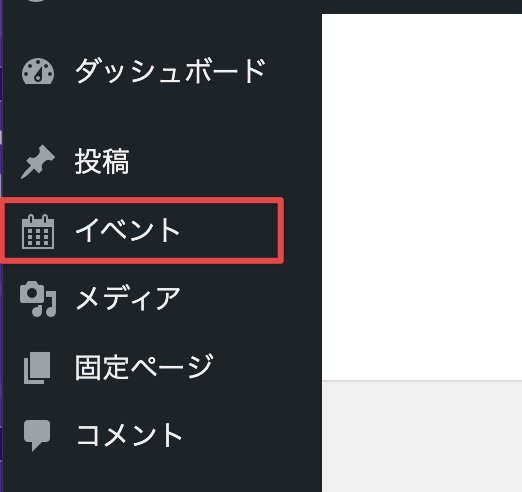
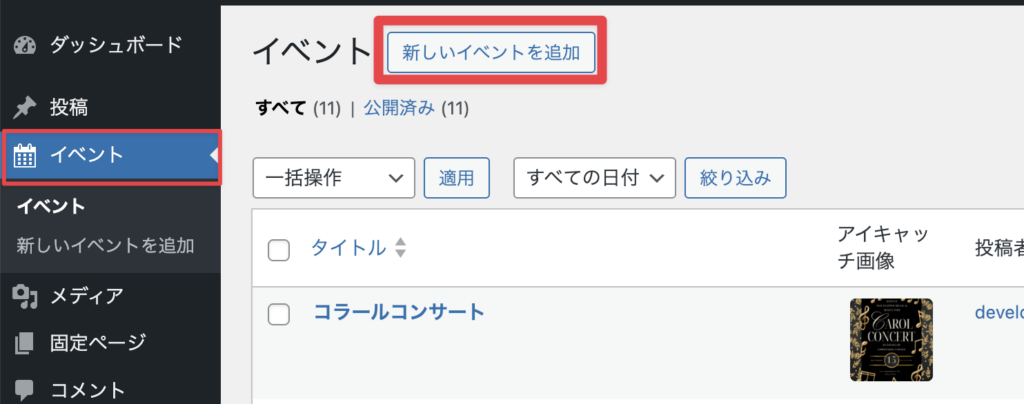
1)WordPressにログインし、ダッシュボードより「イベント」をクリック
2)「新しいイベントを追加」をクリック
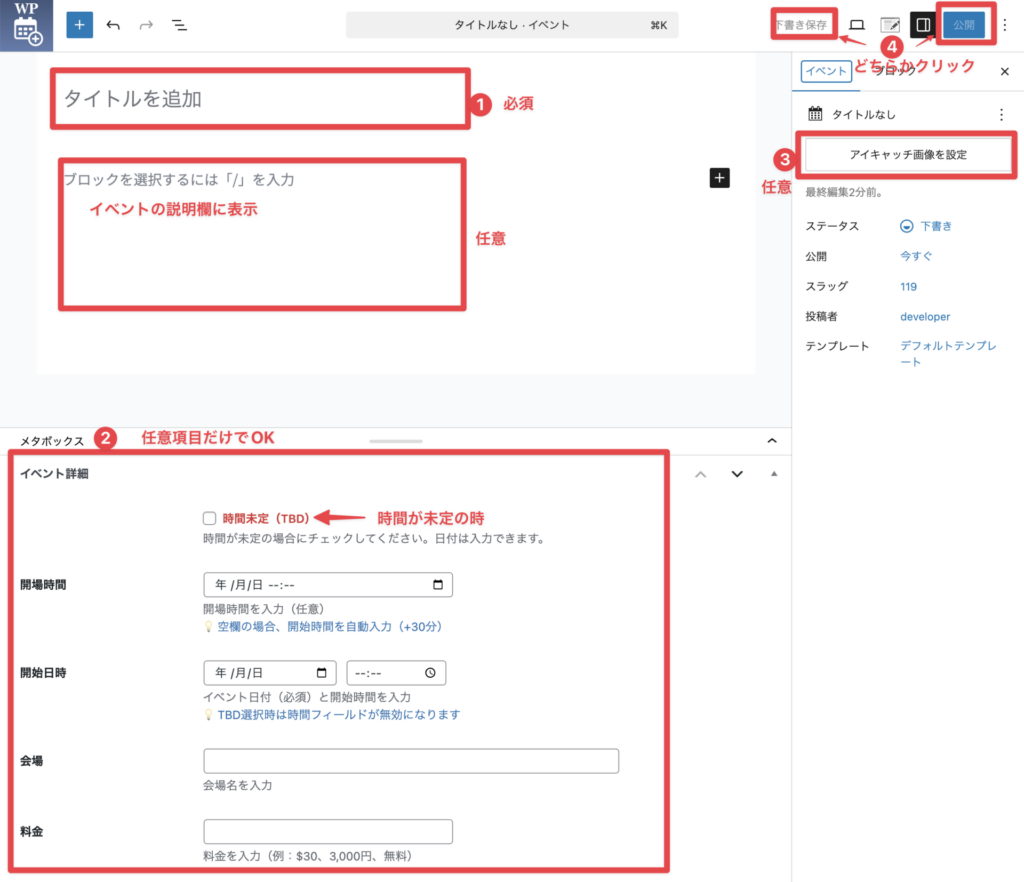
3)編集ページが開きます
3: イベント編集画面 がひらく(Wordress管理画面)
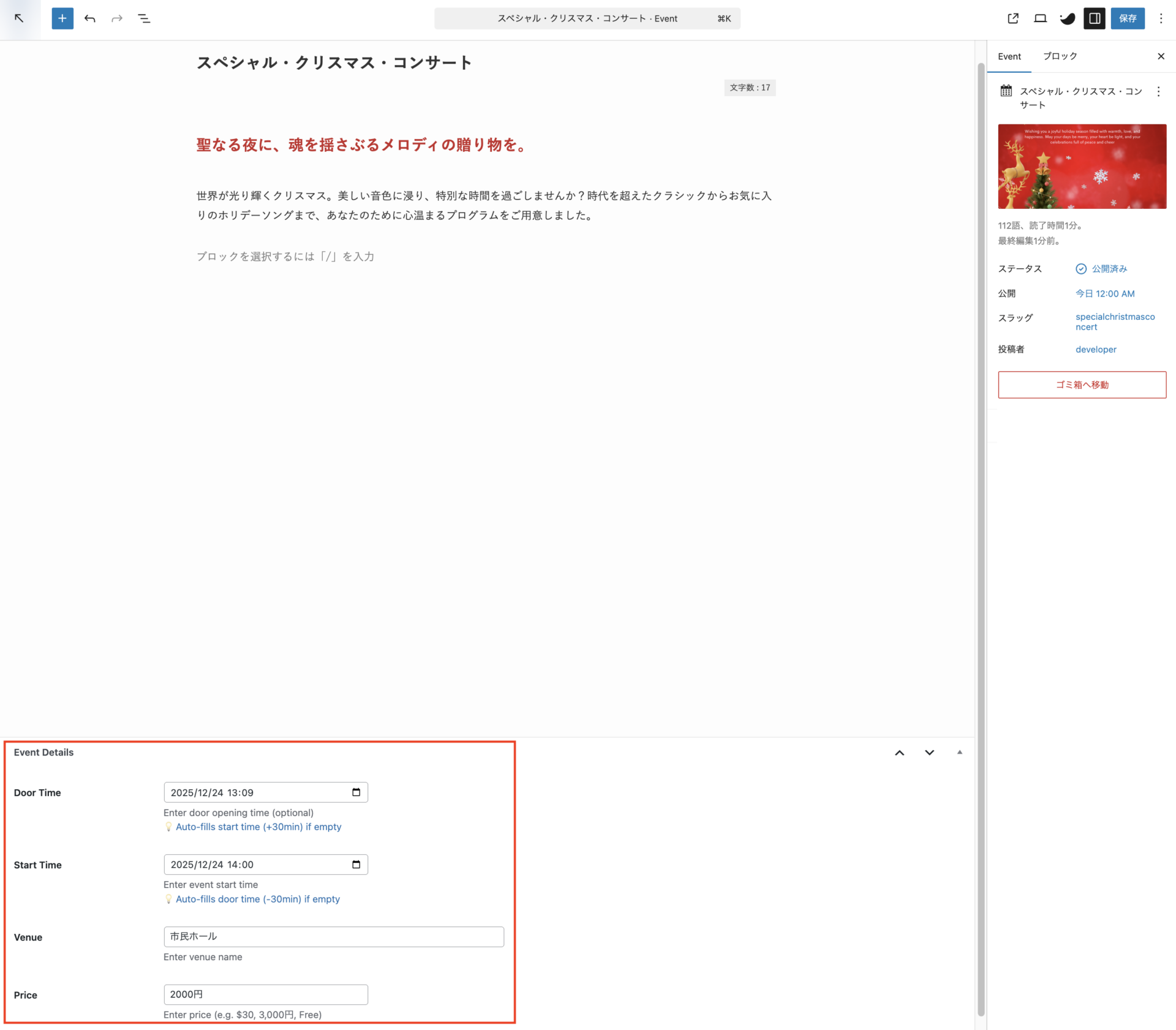
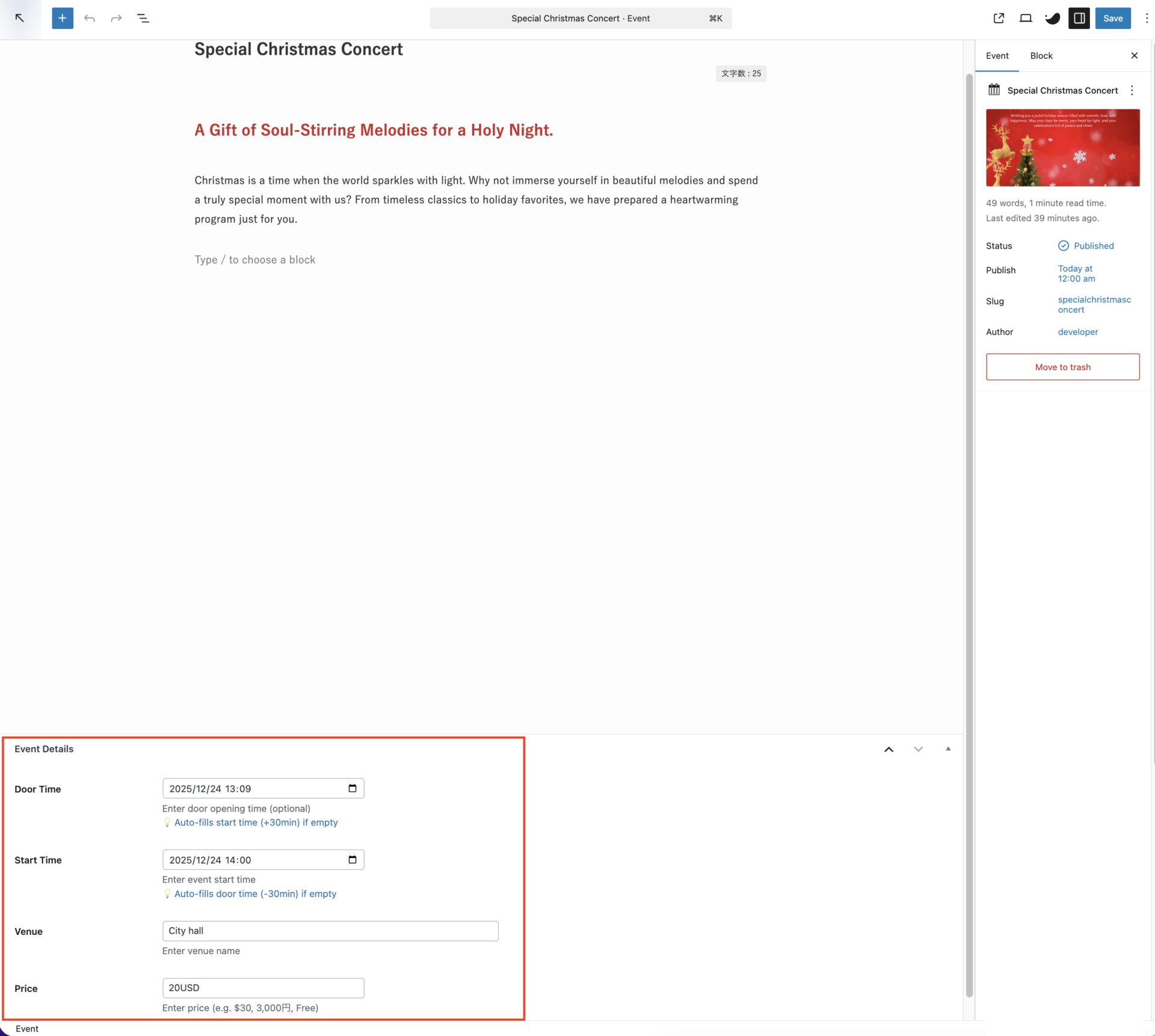
使いやすいイベント編集画面、時間自動計算機能付き
メタボックス(Event Details)に入力 イベントリスト表示
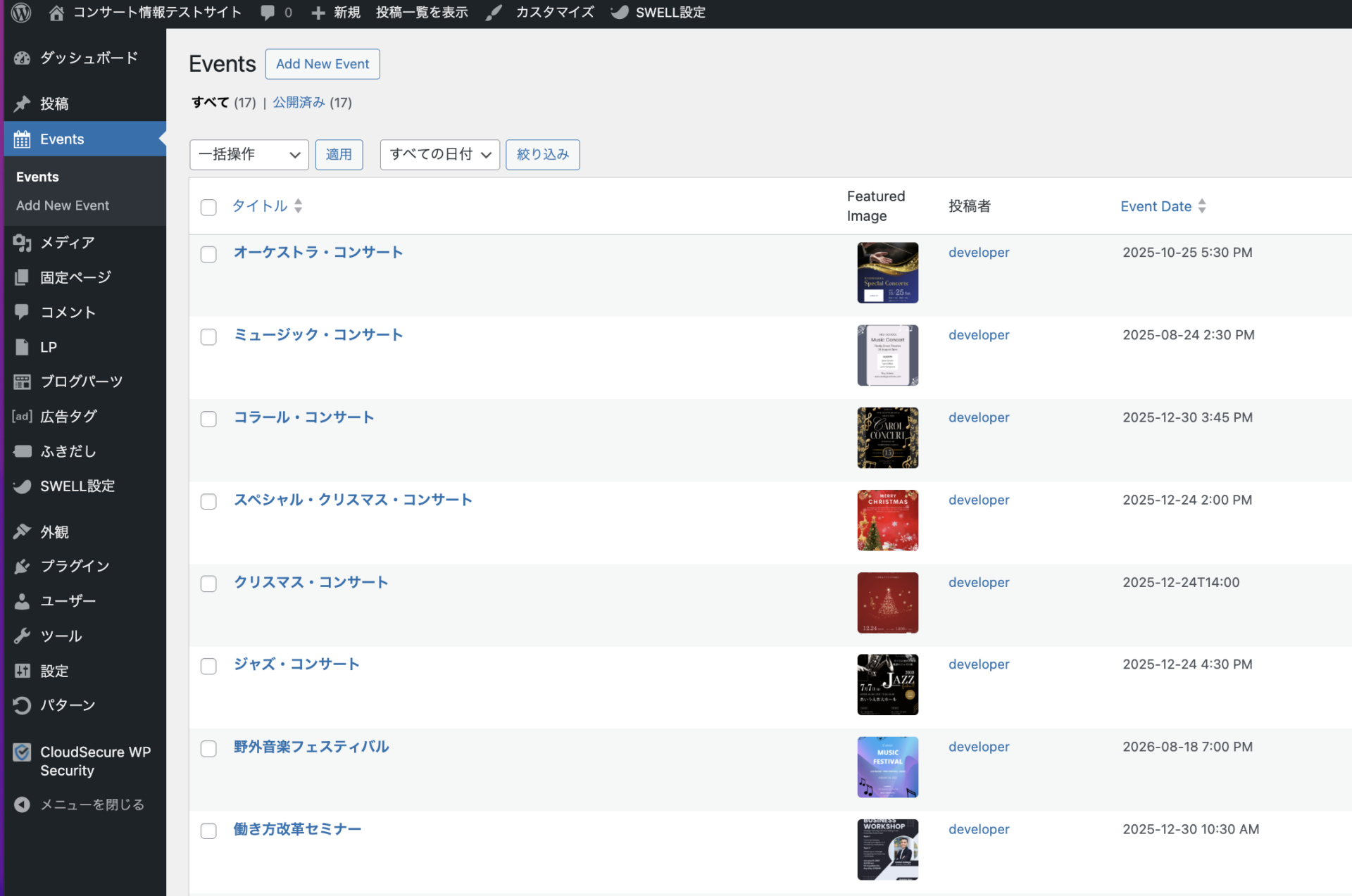
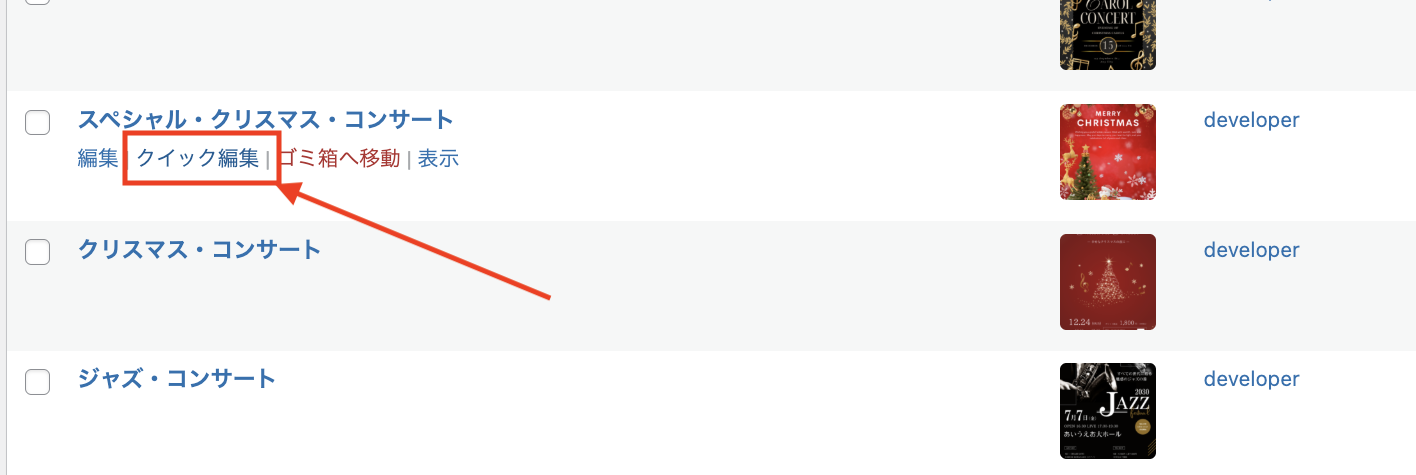
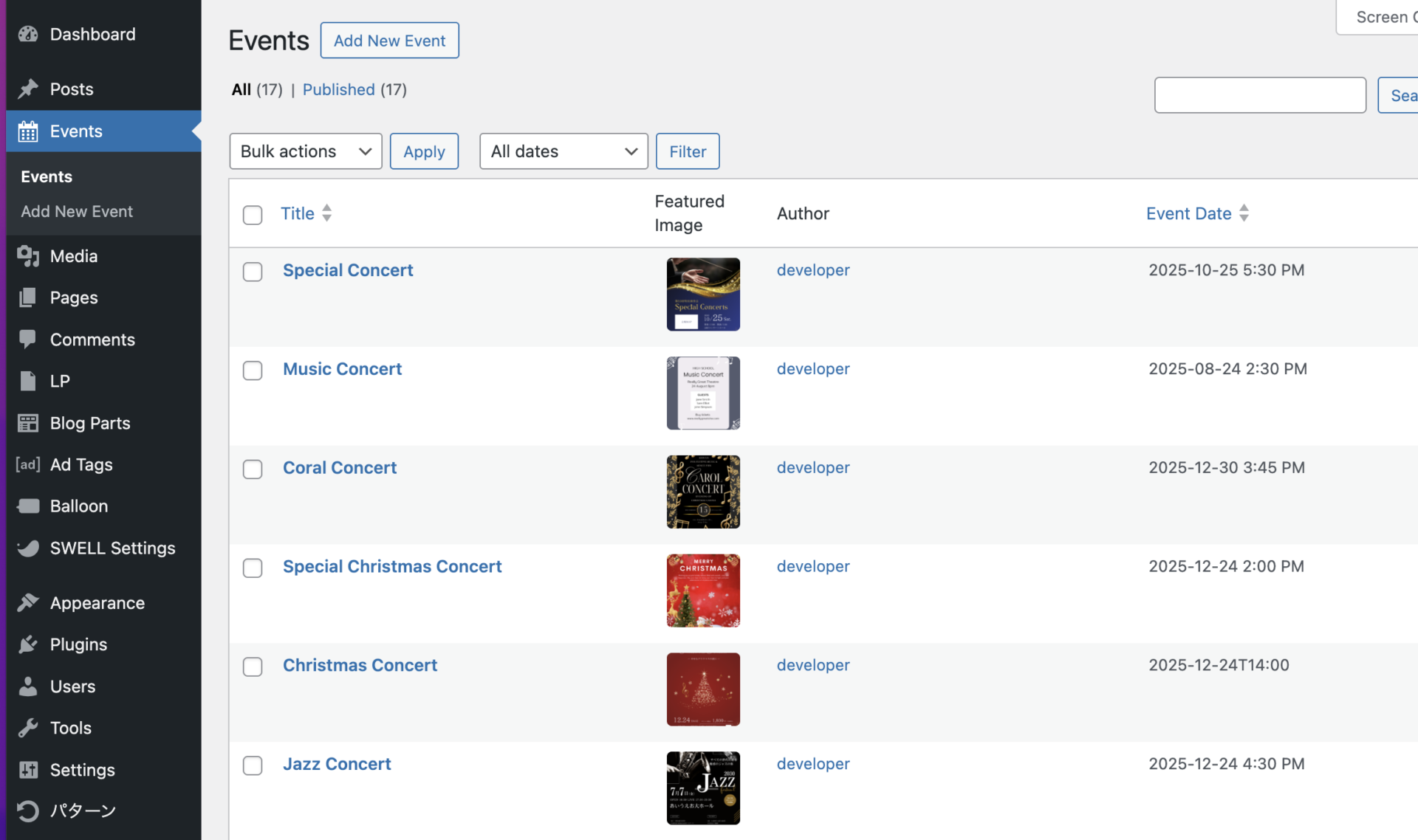
イベント一覧でクイック編集、すべてを一目で管理
イベント名・イベント日で並べ替えが可能 クイック編集
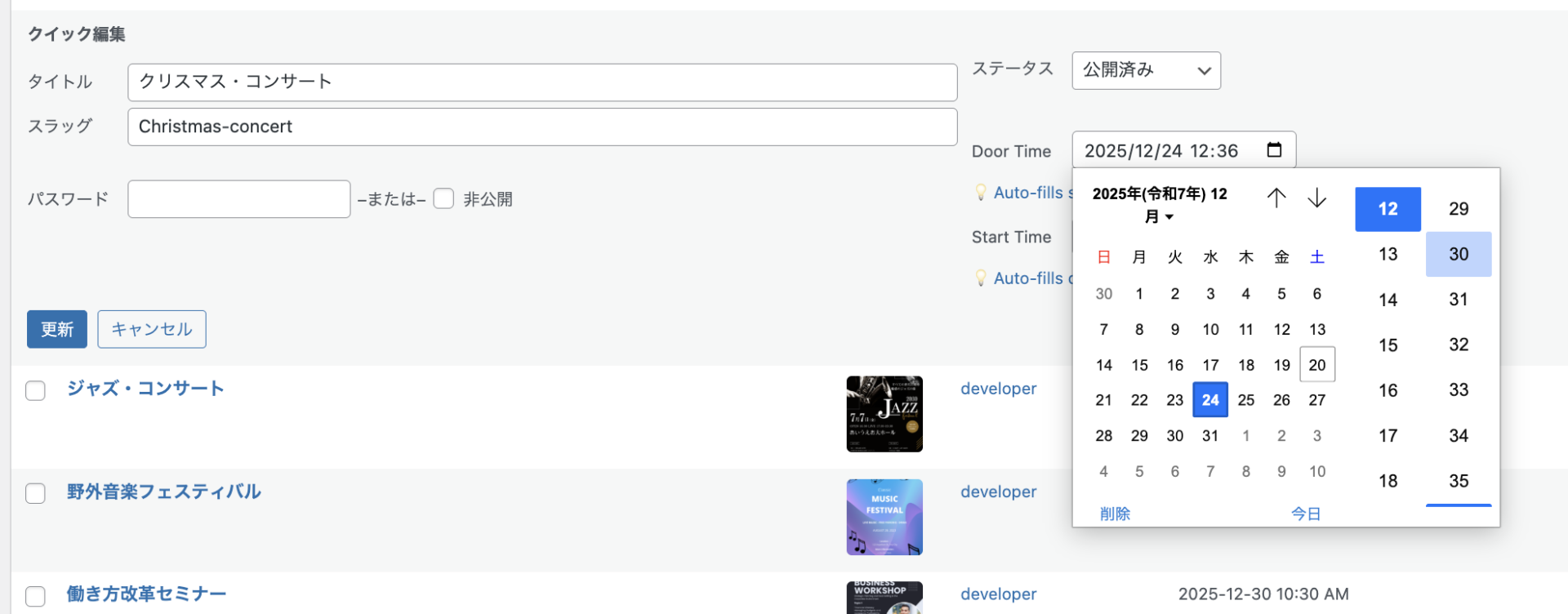
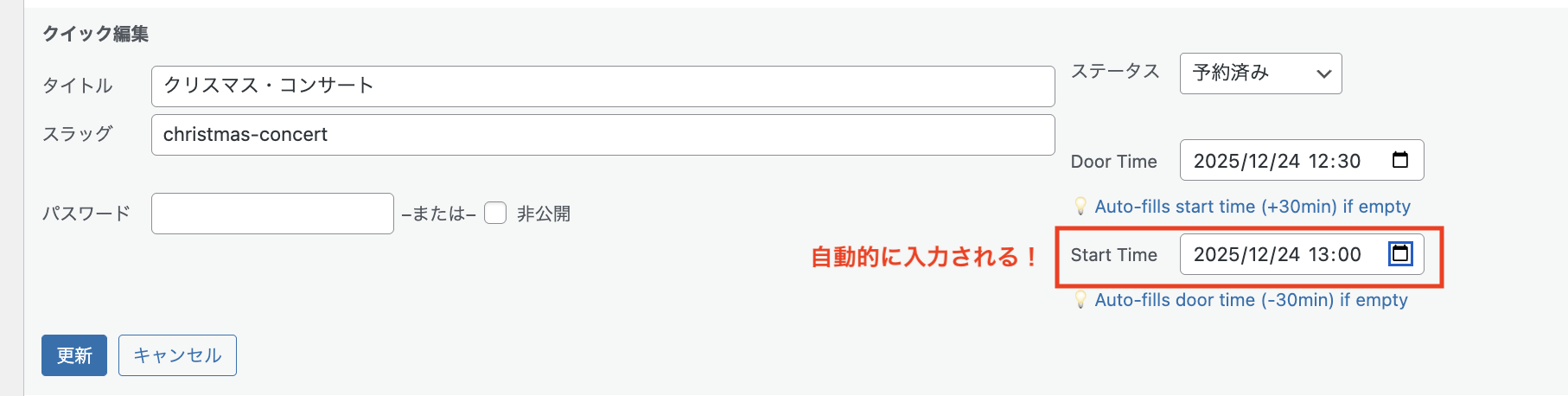
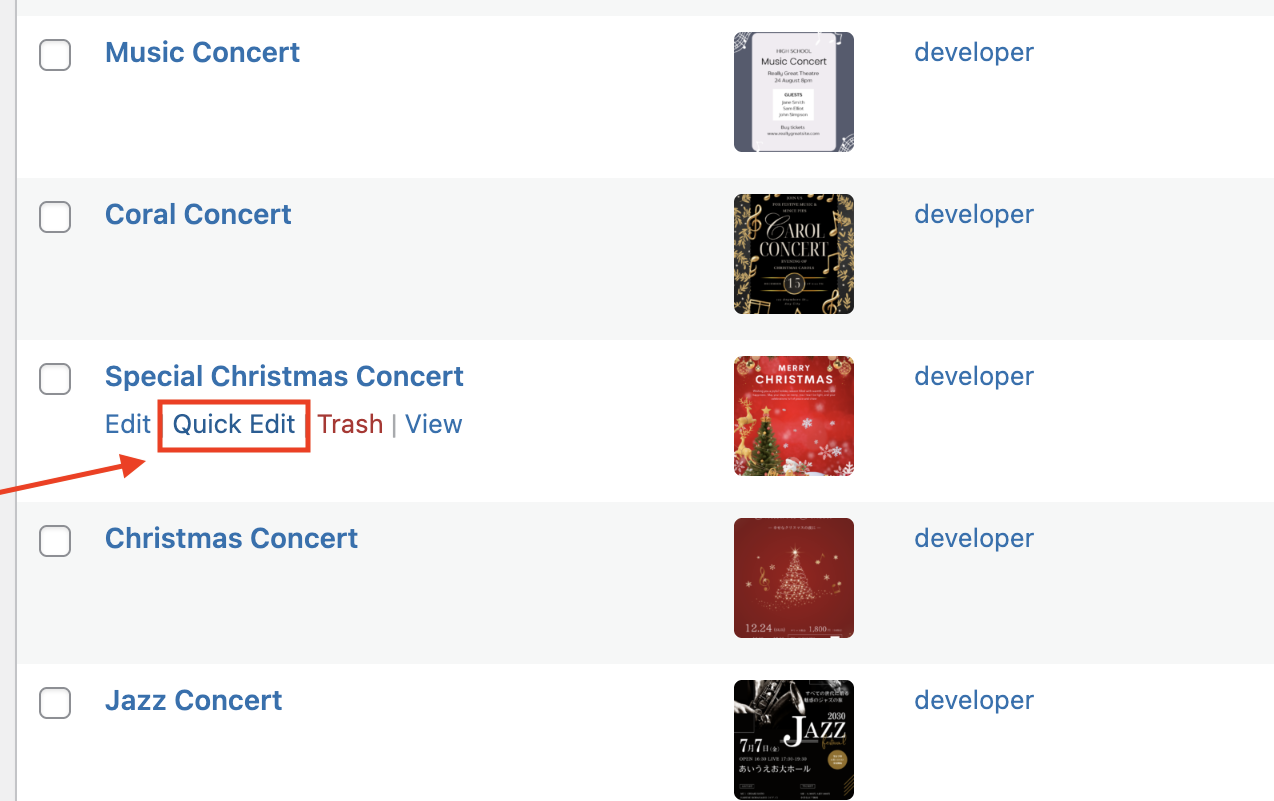
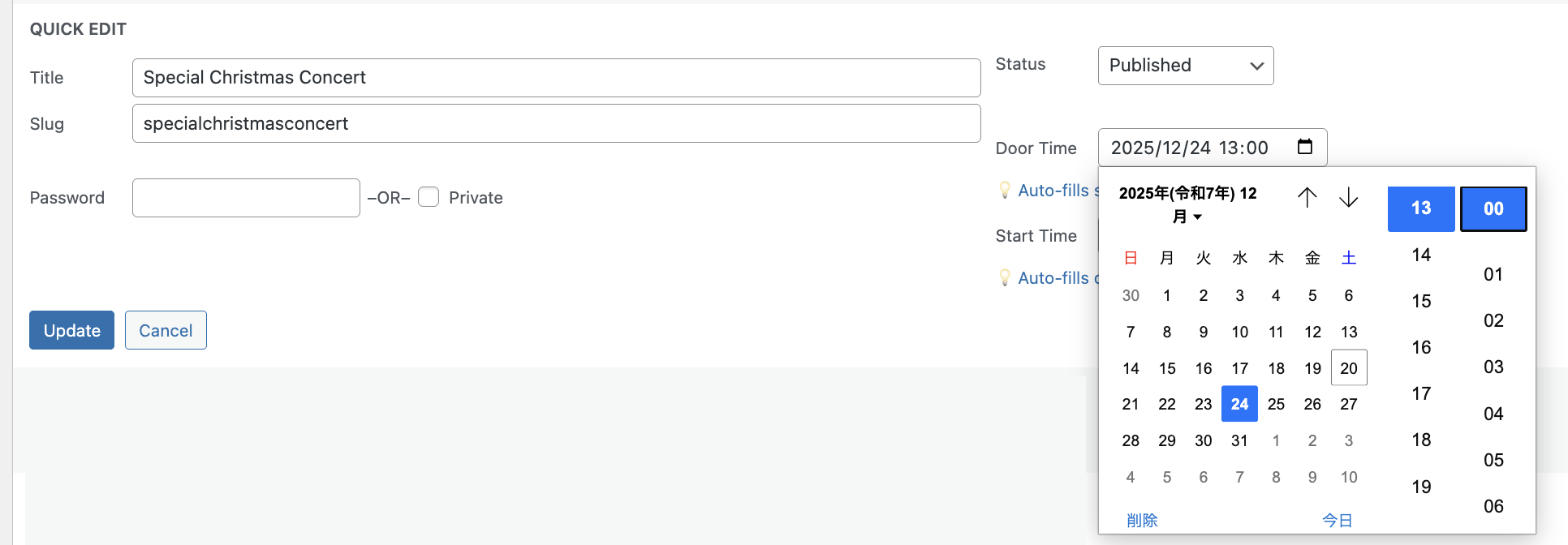
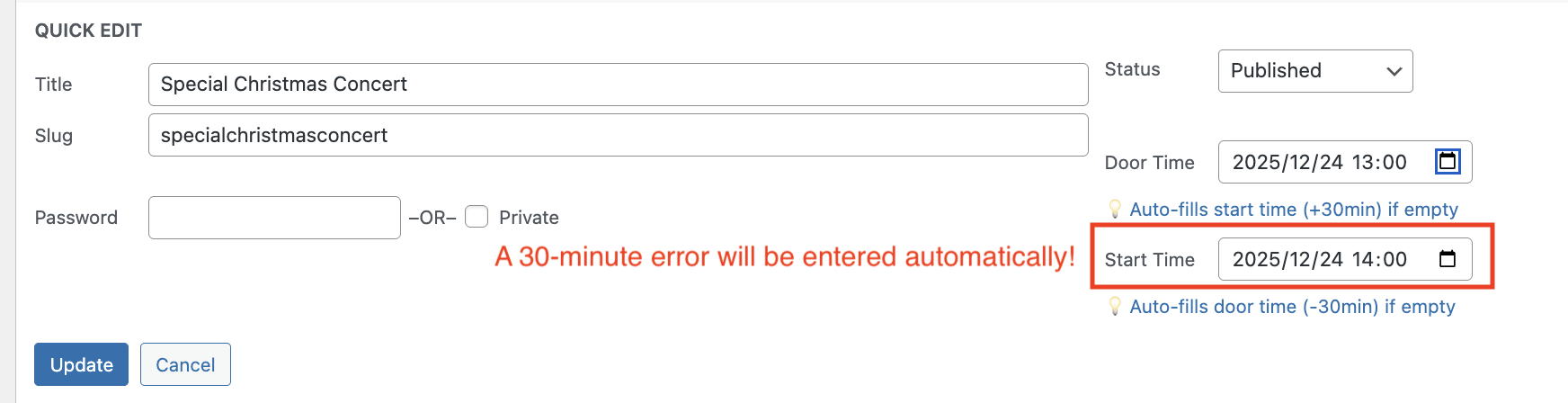
クイック編集で即座に更新可能!
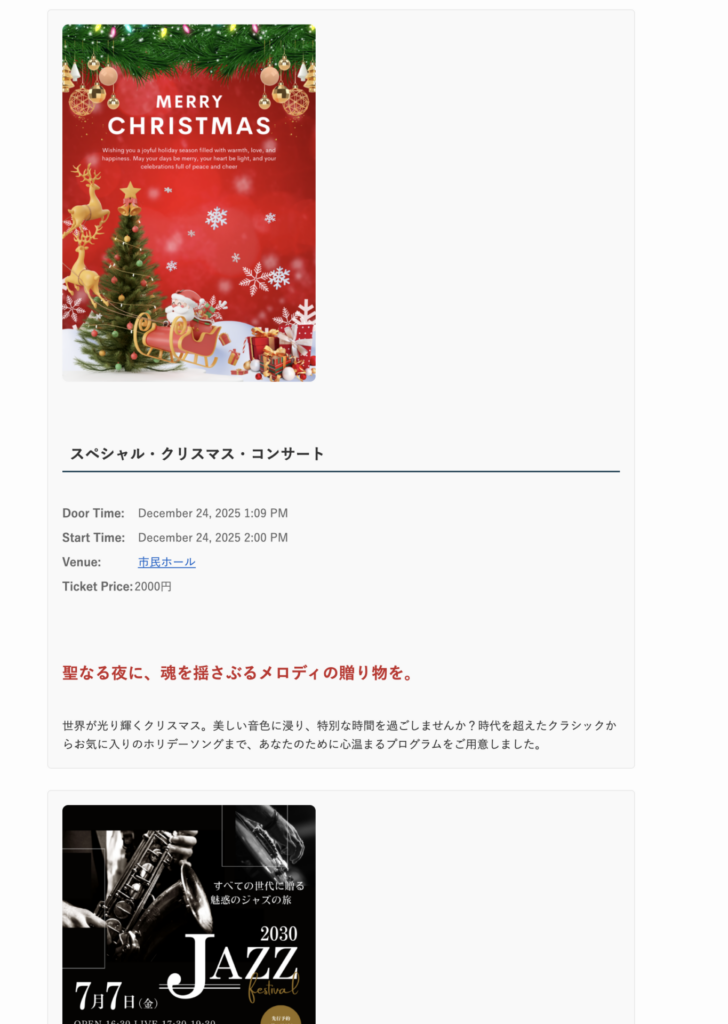
管理画面「Event」リストの「クイック編集」をクリック 開場時間(または開始時間)を入力 自動的に30分違いの時間が表示されます フロントエンド表示
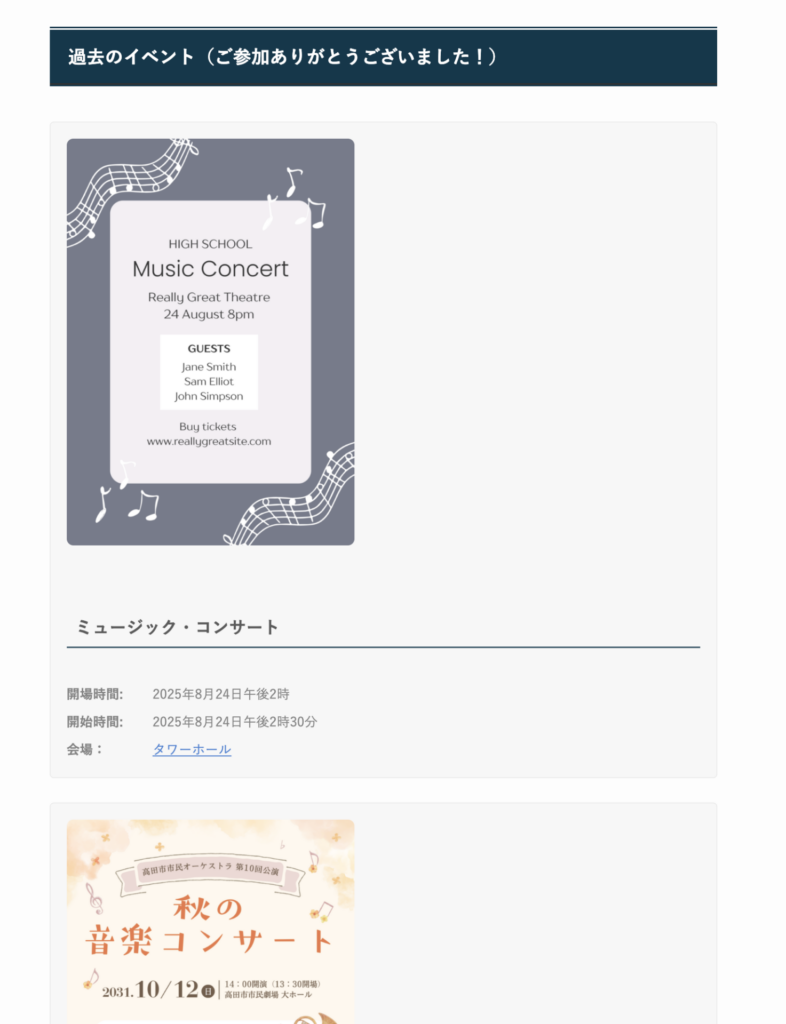
最新のコンサートが最上部に表示されます。
終了したコンサートは「終了済み」セクションに移動されます。
チラシ画像はトリミングされずに表示
画像クリックでライトボックス画像ビューワー付き
モバイルアプリ (iOS/Android)
使い方
WordPress.orgからプラグインをインストール
WordPress管理画面で有効化
開場時間と開始時間を設定して最初のイベントを作成
(任意)モバイルアプリをダウンロードして外出先から管理
[sinqwell_event_list]ショートコードでウェブサイトに表示
技術仕様必要なシステム:
WordPress 5.0以上
PHP 7.4以上
MySQL 5.6以上
機能:
カスタム投稿タイプ「Event」
REST API対応
アプリケーションパスワード認証
レスポンシブデザイン
翻訳対応
Googleマップ連携(会場リンク)
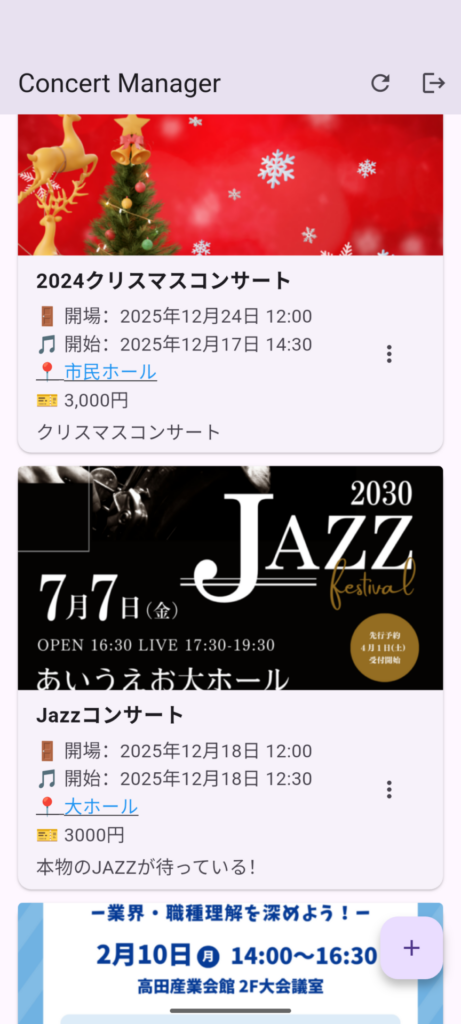
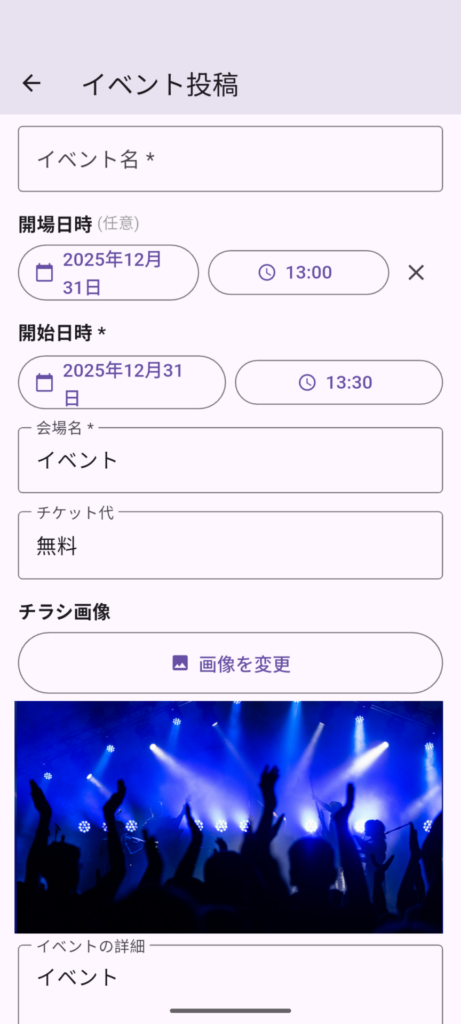
モバイルアプリiOS・Android対応の専用アプリで、イベント管理をモバイル化。スマートフォンから直接、投稿・編集・削除が可能です。
近日公開:
Google Play(Android)
App Store(iOS)
詳細:https://sinqwell.net/apps/concert-manager/
FAQよくある質問
モバイルアプリは必須ですか?
いいえ、WordPress管理画面だけで完全に動作します。モバイルアプリは便利な追加機能です。
開場時間は必須ですか?
いいえ、開場時間は任意です。開始時間のみが必須項目です。
イベント表示をカスタマイズできますか?
はい、CSSやテーマファイルの編集でカスタマイズ可能です。
私のテーマで動作しますか?
はい、どのWordPressテーマでも動作します。標準のWordPress関数を使用しています。
無料ですか?
はい、完全無料でオープンソースです。有料版や広告はありません。
チラシ画像の大きさをかえたい
CSSで変更できます。
.event-thumbnail{
	max-width:500px;
}
サポートはどこで受けられますか?
WordPress.orgサポートフォーラムまたは お問い合わせフォームにてお問い合わせください。
プライバシーこのプラグインは個人情報を一切収集しません。すべての情報はあなたのWordPressデータベースに保存されます。プライバシーを尊重します。
今すぐダウンロードイベント管理をシンプルにする準備はできましたか?
無料 • 登録不要 • 数分でインストール
Sinqwell Event Post Manager
Official WordPress Plugin This plugin has been listed and approved on WordPress.org.
A powerful WordPress plugin for musicians, event organizers, and venues. Seamlessly integrated with iOS and Android mobile apps.
Key Features
On the WordPress site, past events are automatically moved to the “Past Events” section.
Shortcode
Six new parameters added to shortcodes
[sinqwell_event_list]← All items (current)
[sinqwell_event_list group_by=”month”]←Display by month
[sinqwell_event_list style=”simple”]←Simple text-only display
[sinqwell_event_list month=”3″] ← Only March events
[sinqwell_event_list year=”2026″] ← Events in 2026
[sinqwell_event_list limit=”10″] ← The 10 latest items
[sinqwell_event_list per_page=”20″] ← Pagination in sets of 20
[sinqwell_event_list past=”true”] ← Show past events
[sinqwell_event_list show_finished=”false”] ← Hide the End Section
Comparison of Standard View and Simple View
Basic Parameters
パラメータ 値 説明 month1〜12 Show only events for the selected month year2025, 2026… Show events for the specified year only limit数字 Maximum number of items to display per_page数字 Number of items per page in pagination pasttrue / false Show past events (default: true) show_finishedtrue / false Show the end section (default: true)
Examples of Use
[sinqwell_events past=”false”]
[sinqwell_event_list group_by=”month” style=”simple”]
[sinqwell_event_list year=”2026″ month=”3″]
[sinqwell_event_list per_page=”20″ past=”false”]
[sinqwell_event_list limit=”5″ past=”false” show_finished=”false”]
Event Post
1: Easy-to-use event editor with auto-time calculation
Enter in the metabox (Event Details) 2: Event list view
Sortable by event name and event date 3: Quick edit feature
Click “Quick Edit” in the “Event” list on the admin panel
Enter the opening time (or start time) Times 30 minutes apart will be displayed automatically
4: Frontend display
The most recent concert will be displayed at the top.
Concerts that have ended will be moved to the Ended section.
Recent Concerts
Past Concerts
Flyer images displayed without cropping
Click images to view in lightbox image viewer
5: Mobile app (iOS/Android)
Easily post, edit, and delete events anywhere with the mobile app
How It Works
Install the plugin from WordPress.org
Activate it in your WordPress admin
Create your first event with door time and start time
(Optional) Download the mobile app to manage events on the go
Display events on your website using the [sinqwell_event_list] shortcode
Technical DetailsSystem Requirements :
WordPress 5.0 or higher
PHP 7.4 or higher
MySQL 5.6 or higher
Features:
Custom post type: “Event”
REST API support
Application Password authentication
Responsive design
Translation ready
Google Maps integration (venue links)
Mobile AppsTake your event management mobile with our companion apps for iOS and Android. Post, edit, and delete events directly from your smartphone.
Coming soon:
Google Play (Android)
App Store (iOS)
Learn more: https://sinqwell.net/apps/concert-manager/
Frequently Asked Questions
Is the mobile app required?
No, the plugin works perfectly with just the WordPress admin panel. The mobile app is an optional convenience feature.
Is door time required?
No, door time is optional. Only the start time is required.
Can I customize the event display?
Yes, you can customize the display using CSS or by editing your theme files.
Does it work with my theme?
Yes, it works with any WordPress theme. The plugin uses standard WordPress functions.
Is it free?
Yes, completely free and open source. No premium version, no ads.
I want to change the size of the flyer image.
You can change it using CSS.
.event-thumbnail{
	max-width:500px;
}
How do I get support?
Visit the WordPress.org support forum or contact us at ccontact
PrivacyThis plugin does not collect any personal data. All information is stored in your WordPress database. We respect your privacy.
Download NowReady to simplify your event management?
Free • No Signup Required • Install in Minutes