Sinqwell Event Post Manager
A powerful WordPress plugin for musicians, event organizers, and venues. Seamlessly integrated with iOS and Android mobile apps.
Key Features


Screenshots
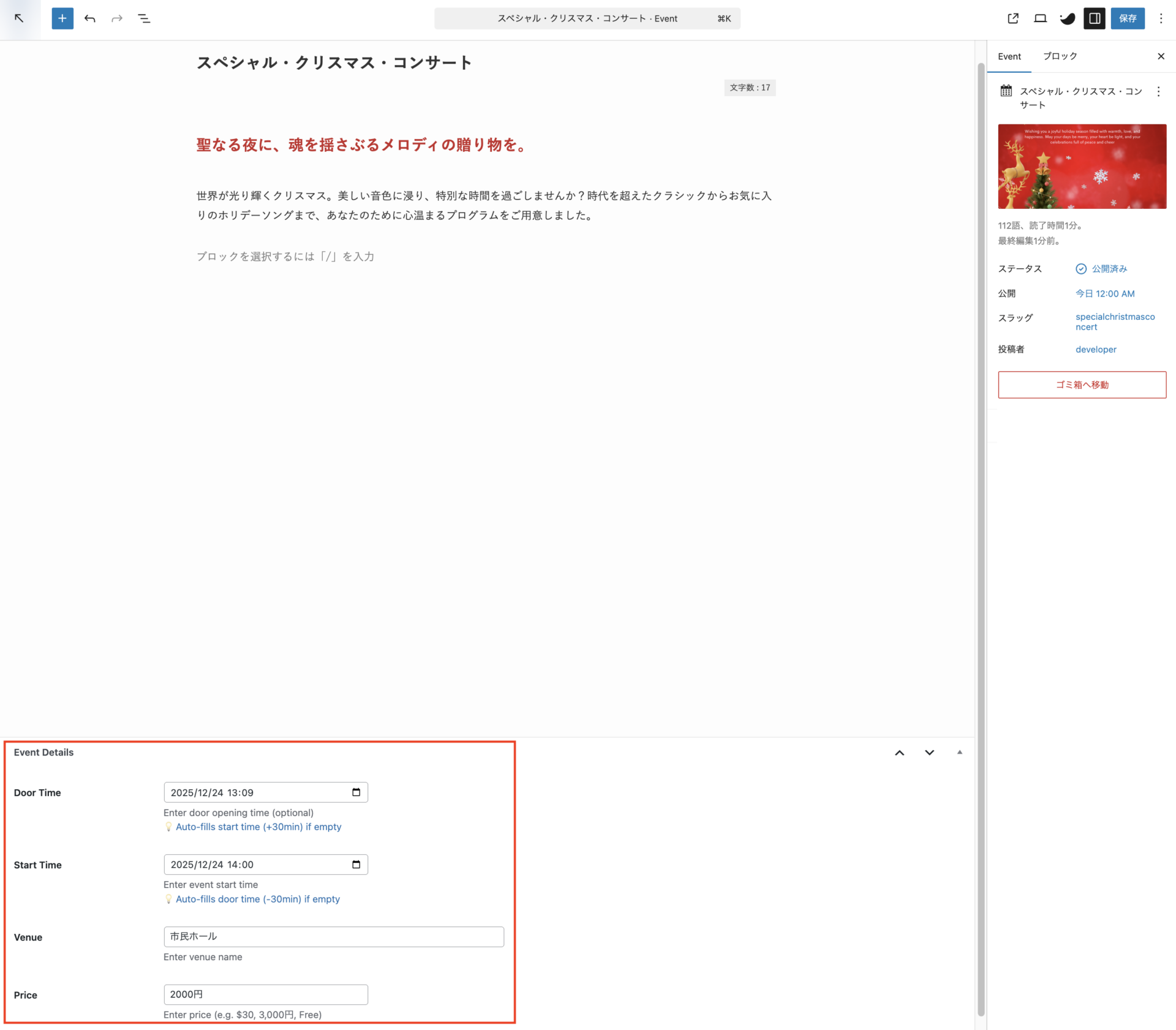
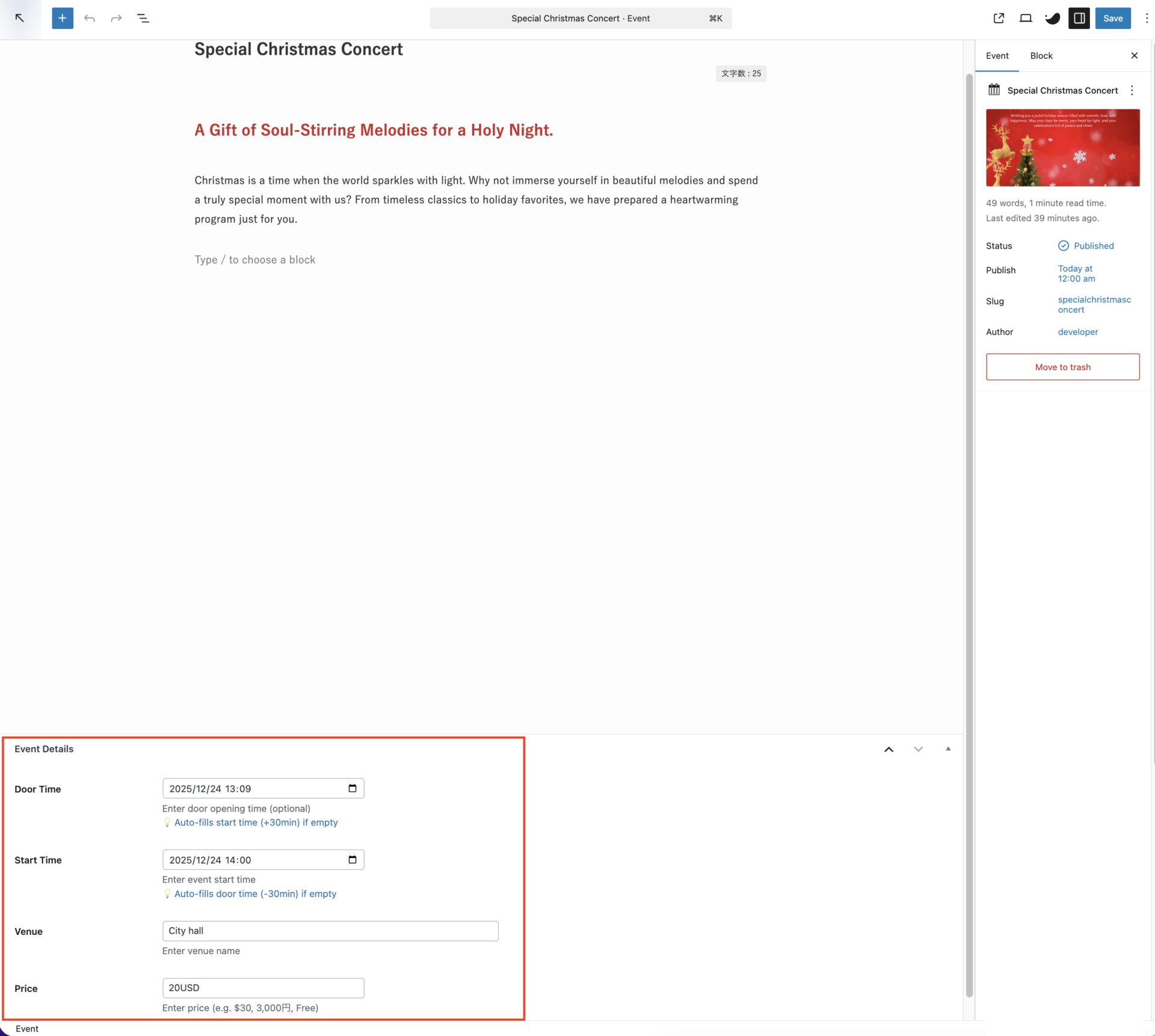
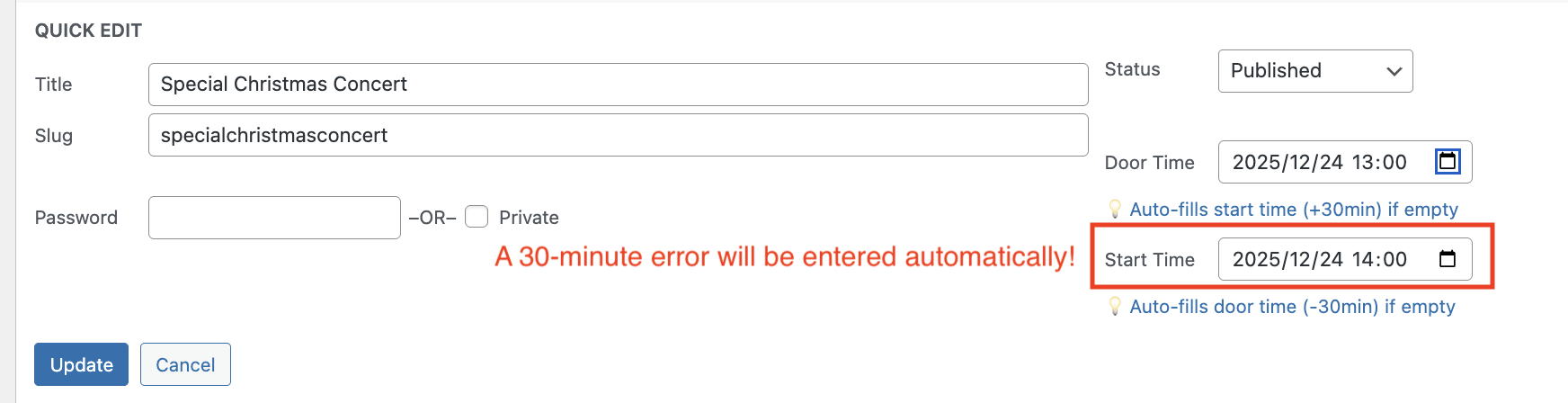
1: Easy-to-use event editor with auto-time calculation
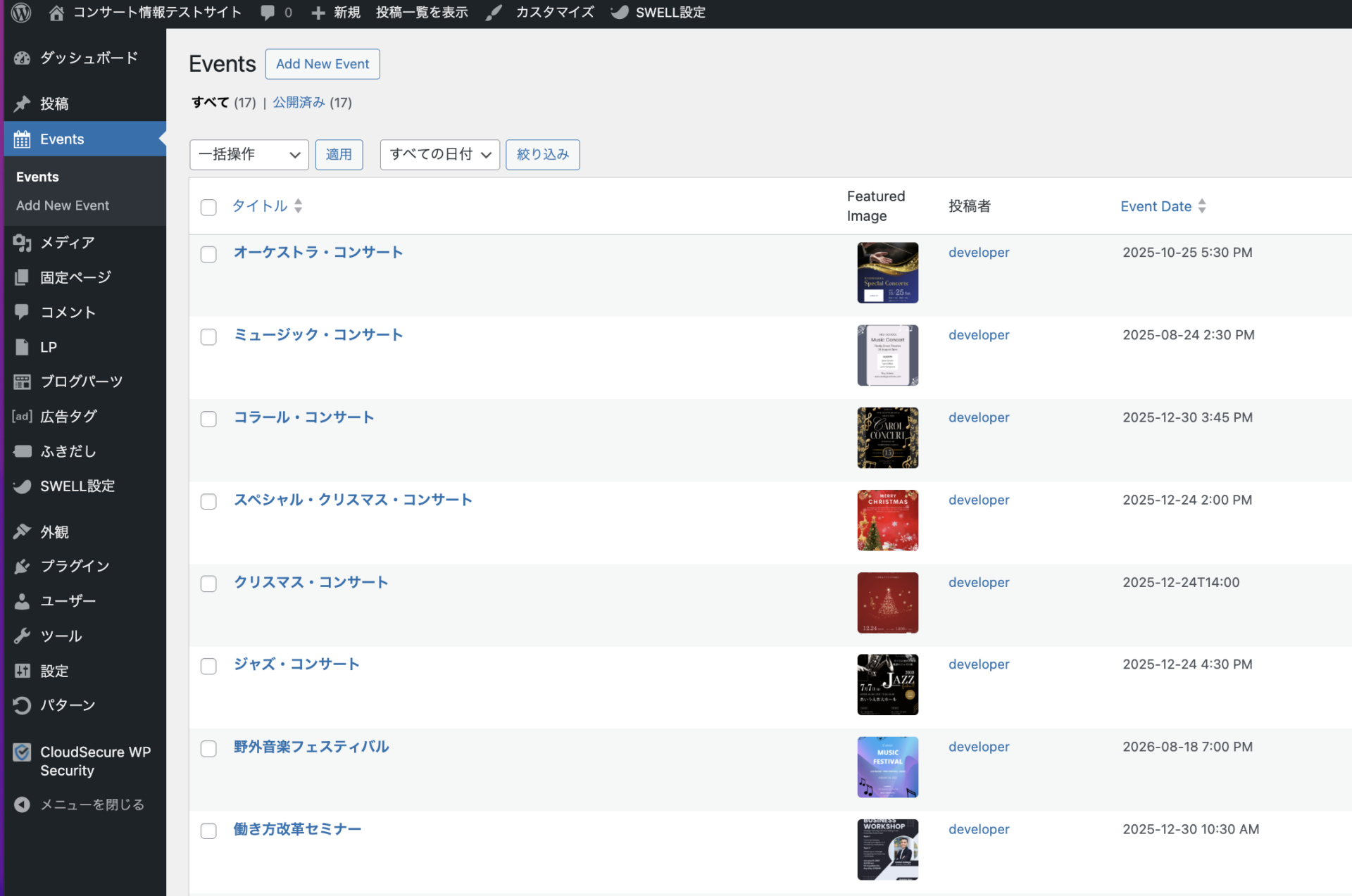
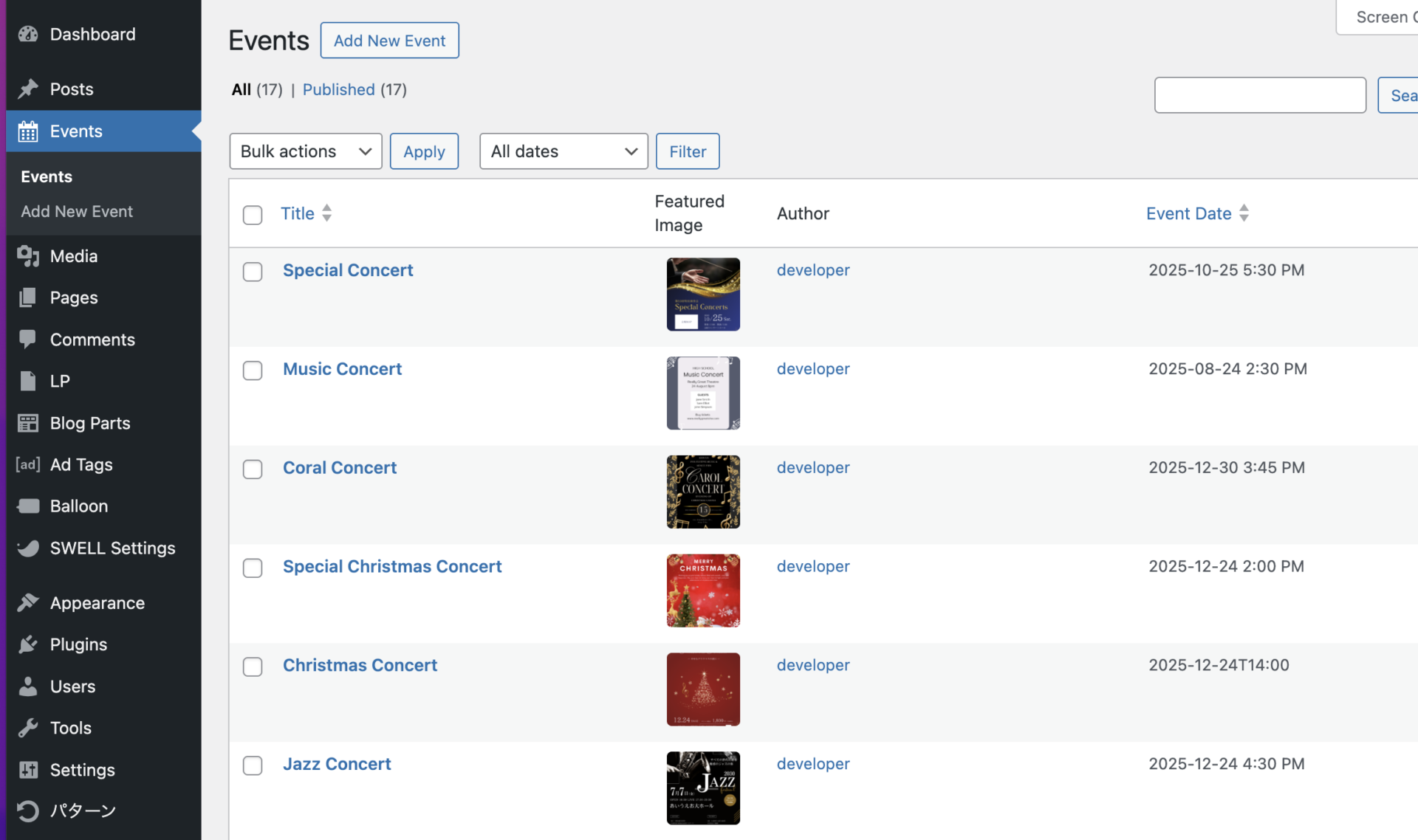
2: Event list view
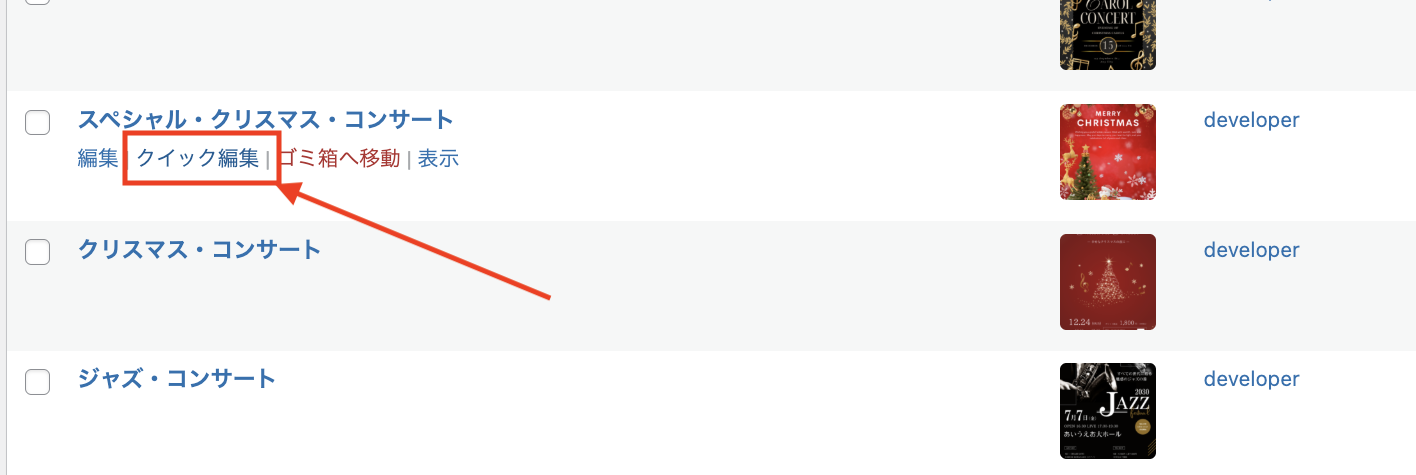
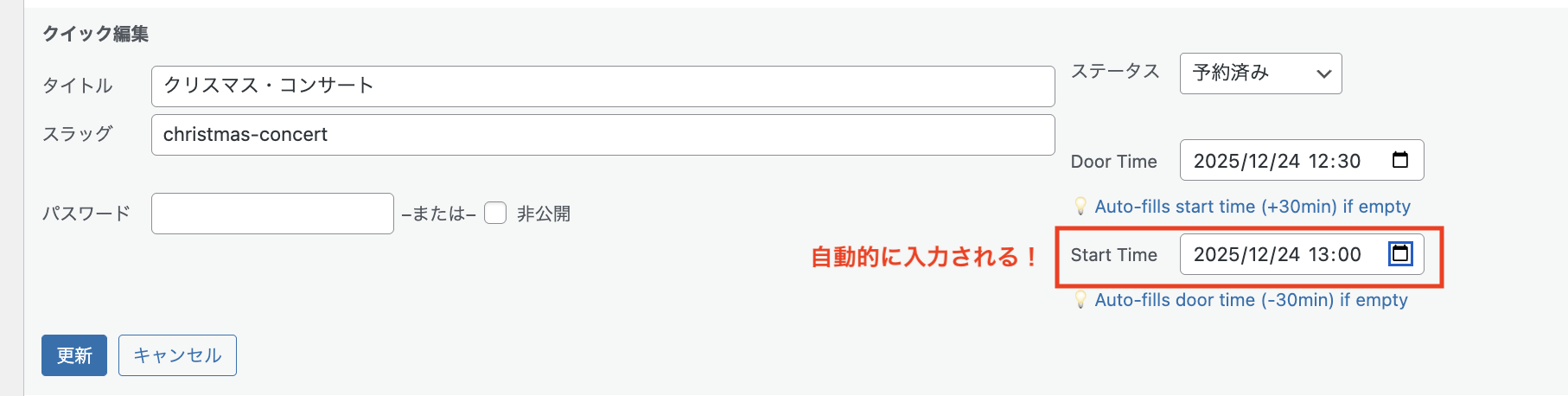
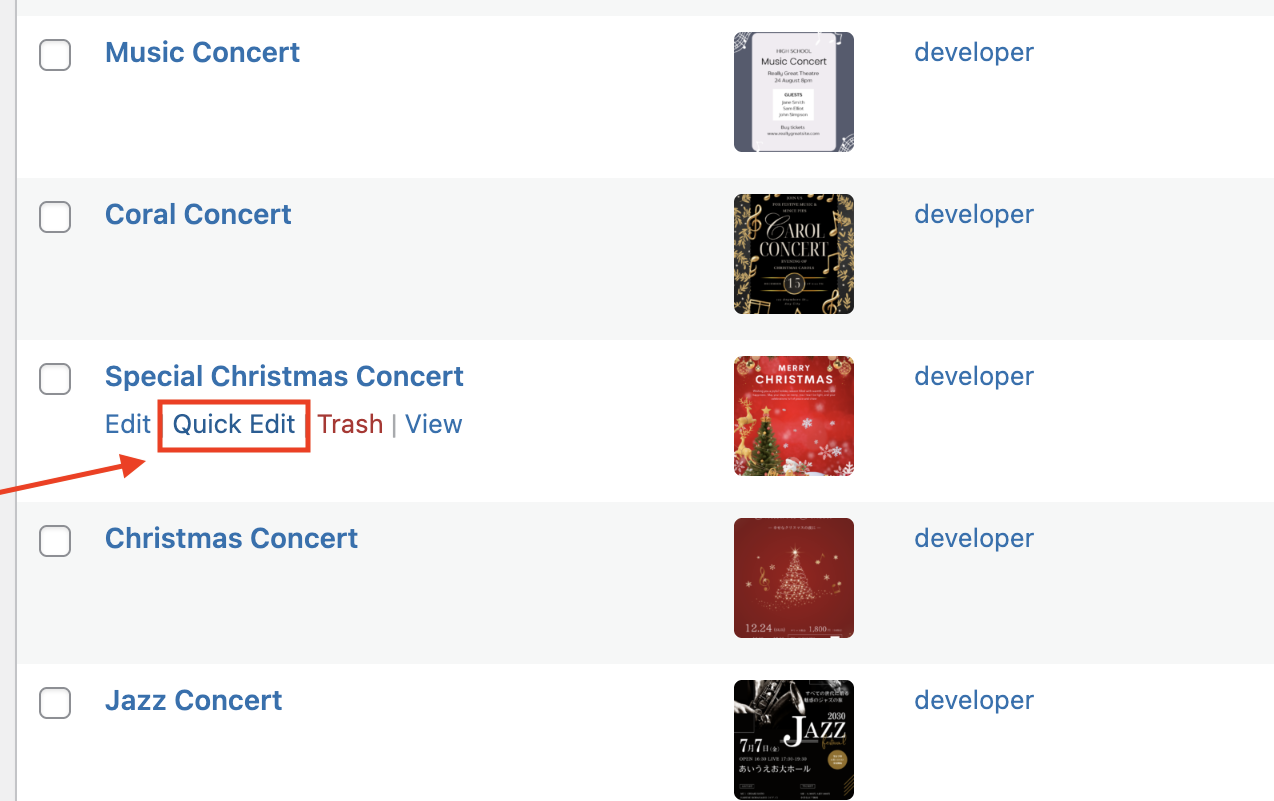
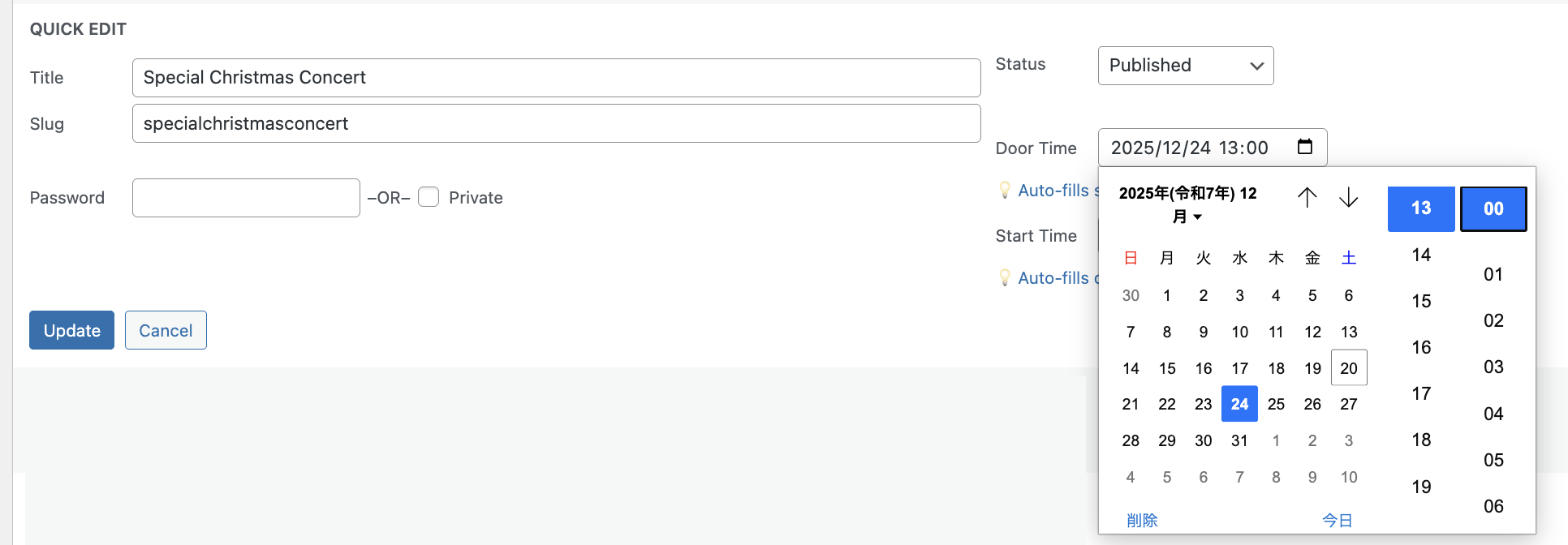
3: Quick edit feature
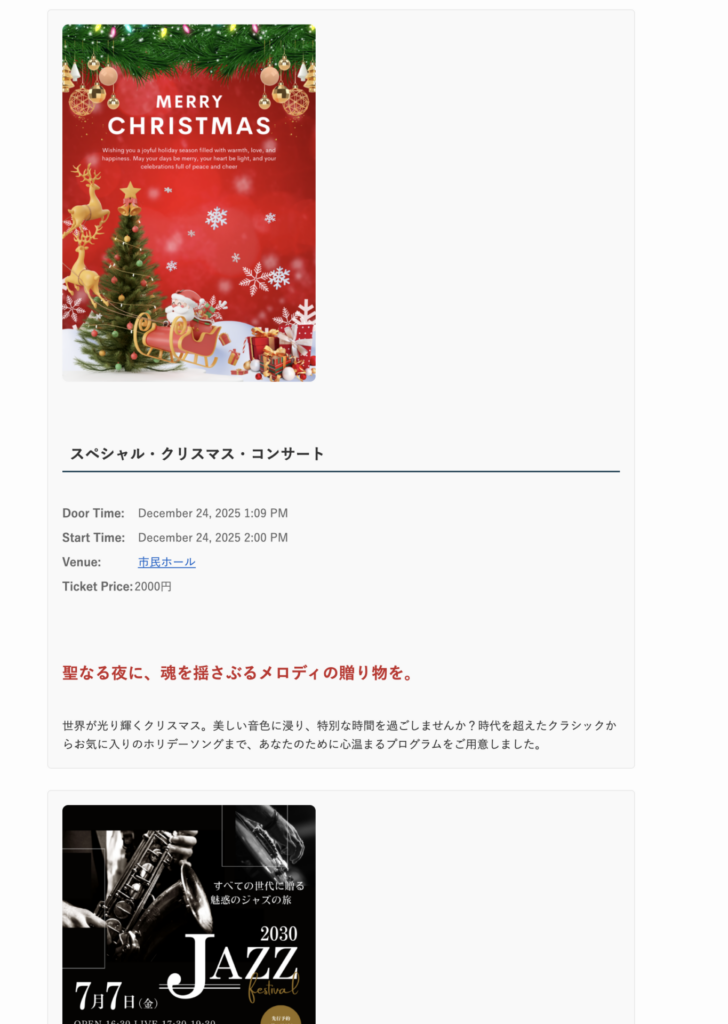
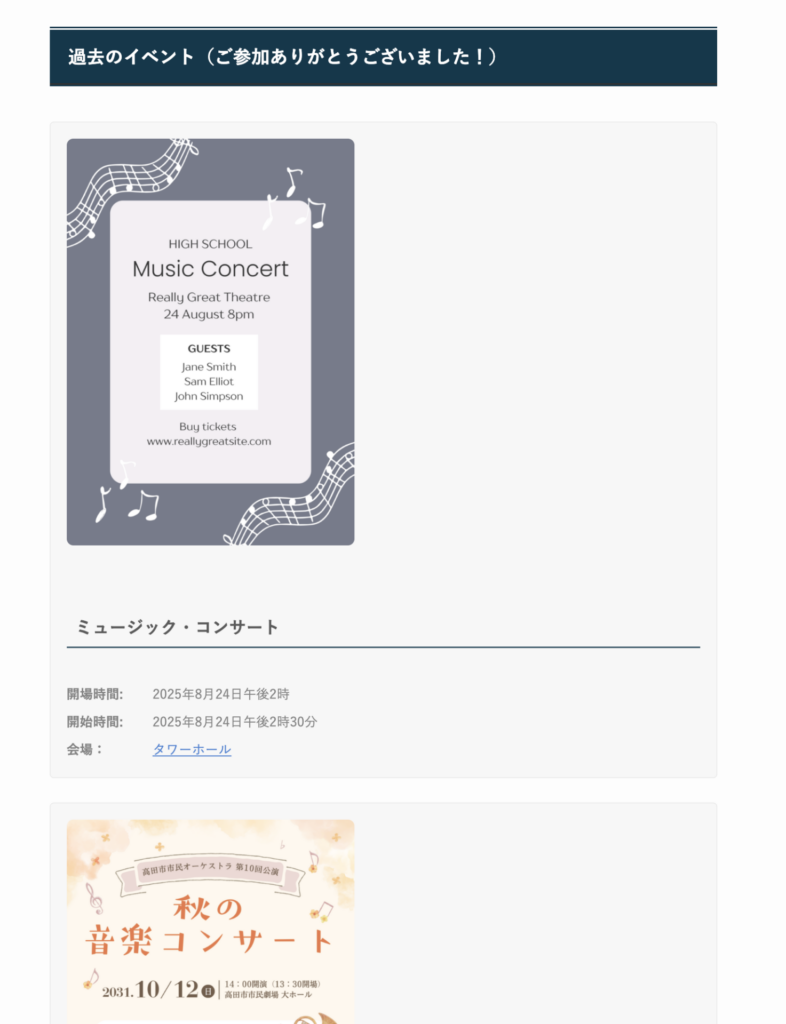
4: Frontend display
The most recent concert will be displayed at the top.
Concerts that have ended will be moved to the Ended section.
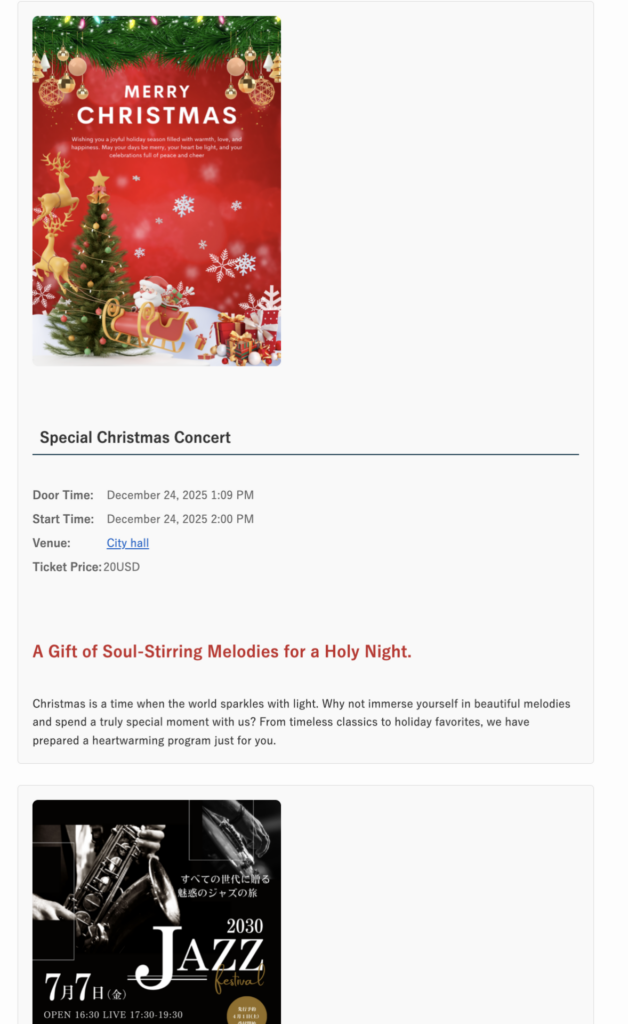
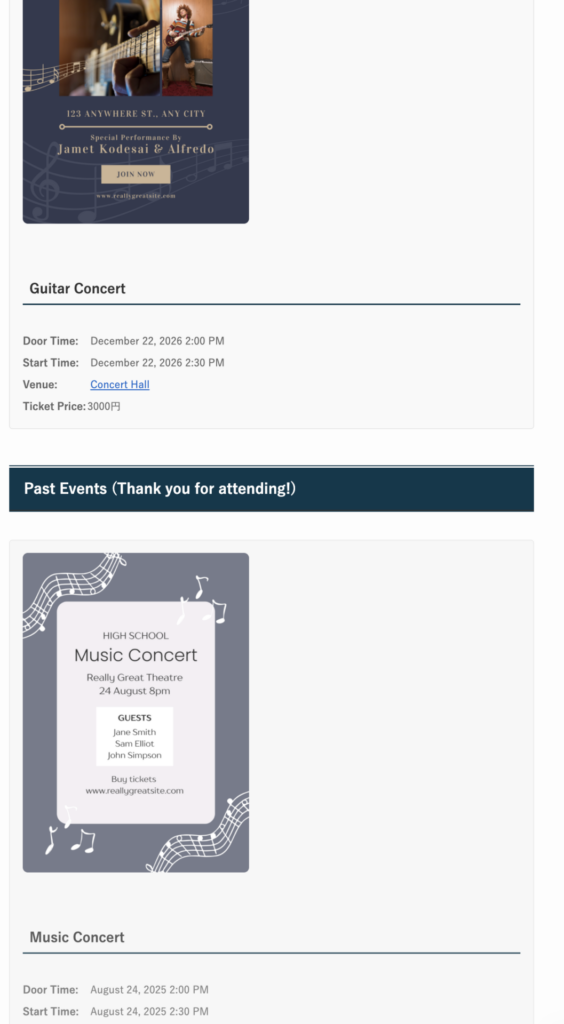
- Flyer images displayed without cropping
- Click images to view in lightbox image viewer
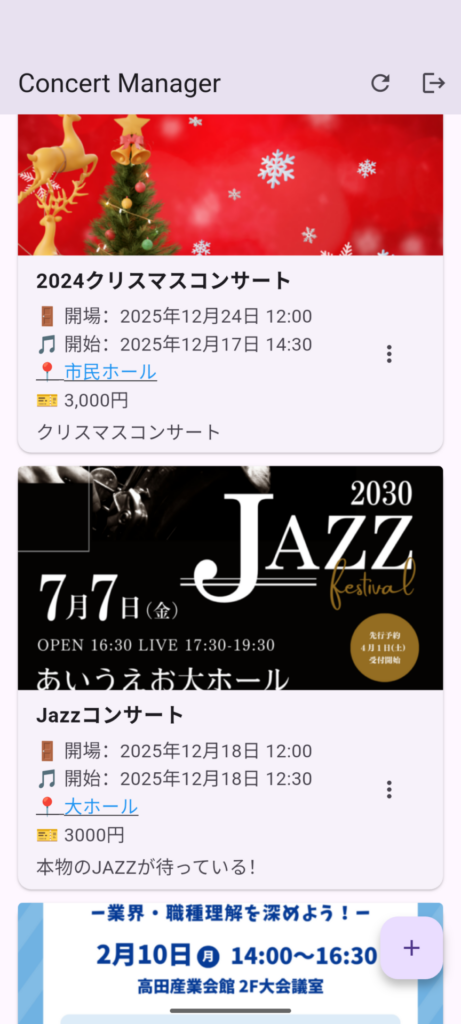
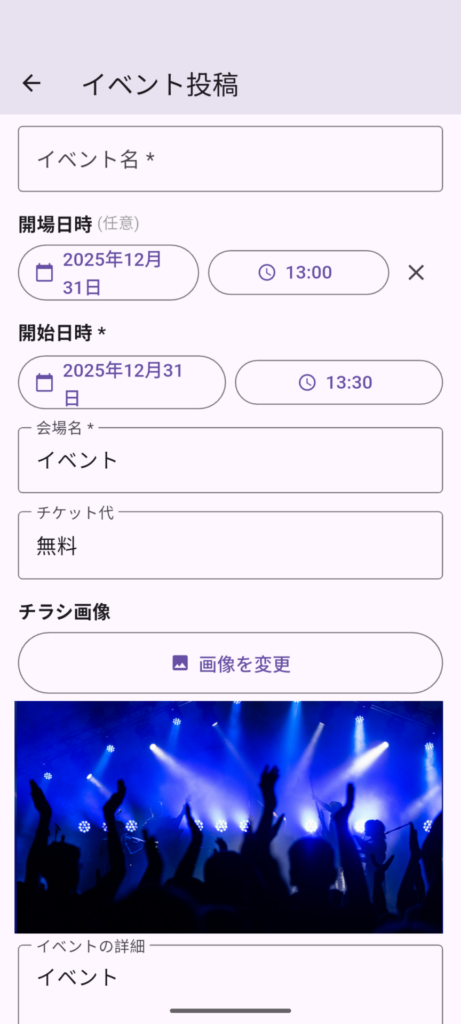
5: Mobile app (iOS/Android)
Easily post, edit, and delete events anywhere with the mobile app
How It Works
- Install the plugin from WordPress.org
- Activate it in your WordPress admin
- Create your first event with door time and start time
- (Optional) Download the mobile app to manage events on the go
- Display events on your website using the [sinqwell_event_list] shortcode
Technical Details
System Requirements:
- WordPress 5.0 or higher
- PHP 7.4 or higher
- MySQL 5.6 or higher
Features:
- Custom post type: “Event”
- REST API support
- Application Password authentication
- Responsive design
- Translation ready
- Google Maps integration (venue links)
Mobile Apps
Take your event management mobile with our companion apps for iOS and Android. Post, edit, and delete events directly from your smartphone.
Coming soon:
- Google Play (Android)
- App Store (iOS)
Learn more: https://sinqwell.net/apps/concert-manager/
Frequently Asked Questions
- Is the mobile app required?
-
No, the plugin works perfectly with just the WordPress admin panel. The mobile app is an optional convenience feature.
- Is door time required?
-
No, door time is optional. Only the start time is required.
- Can I customize the event display?
-
Yes, you can customize the display using CSS or by editing your theme files.
- Does it work with my theme?
-
Yes, it works with any WordPress theme. The plugin uses standard WordPress functions.
- Is it free?
-
Yes, completely free and open source. No premium version, no ads.
- I want to change the size of the flyer image.
-
You can change it using CSS.
Location: WordPress Admin Panel > Appearance > Customize > Additional CSS
For example, if you want to change it to 500px,.event-thumbnail{ max-width:500px; } - How do I get support?
-
Visit the WordPress.org support forum or contact us at ccontact
Privacy
This plugin does not collect any personal data. All information is stored in your WordPress database. We respect your privacy.
Download Now
Ready to simplify your event management?
Free • No Signup Required • Install in Minutes